Sesame Street Alphabet Kitchen
- 3.8
- Rating
- 10.00M
- Installs
- Free
- Price

 Analysis by App-foxy
I spent time with Sesame Street Alphabet Kitchen as an educational game for young children, and my first impression was that it understands something many early-learning apps miss: practice works better when it feels like play. Elmo and Cookie Monster turn letter and vocabulary activities into a small Sesame Street routine rather than a worksheet on a screen. That makes it especially approachable for children who are beginning to recognize letters, hear sounds, and connect words with pictures.
The game is made by Sesame Workshop and is free to download, with optional in-app purchases priced at $2.99 per item. It is rated for Everyone, runs on Android 8.0 or later, and currently appears as version 3.3. Its average score is 4.0 from around 15 thousand ratings, while its reach has passed 10 million installs. Those figures suggest a well-established children’s title, but they do not replace the more important question: does it fit the way your child learns?
How the current version feels in everyday use
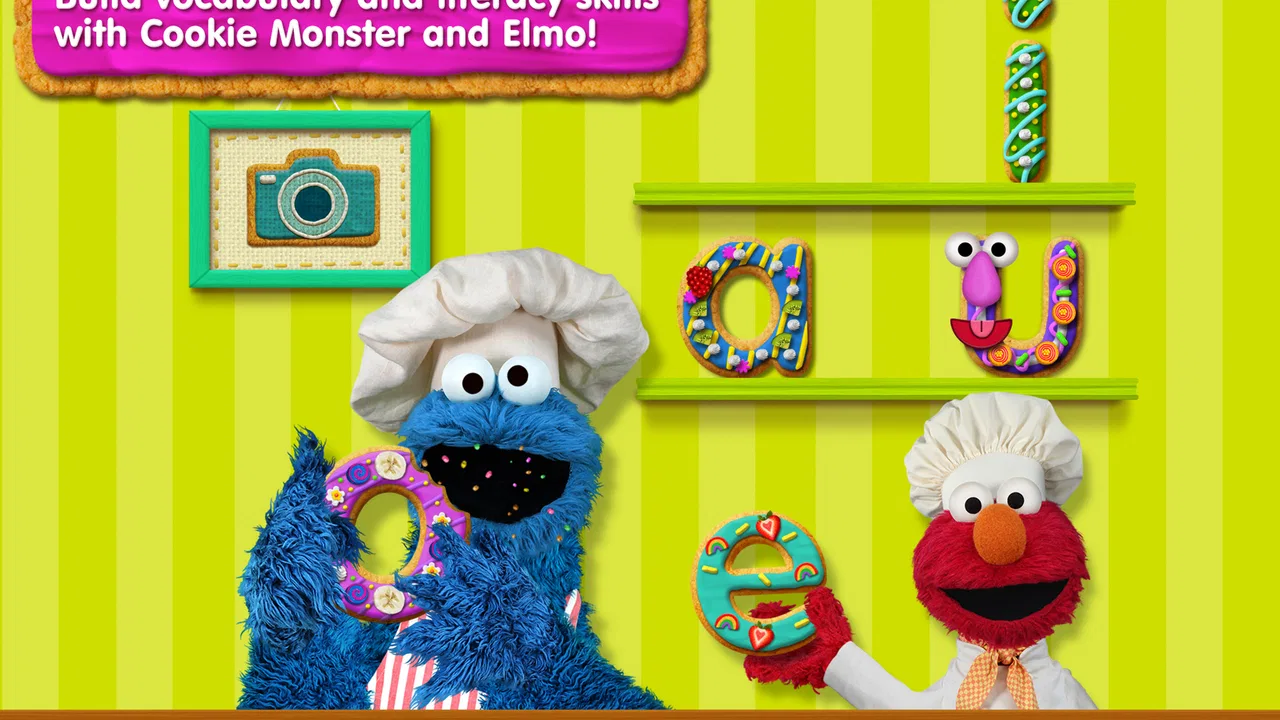
The central idea is simple. Children practice early literacy and build vocabulary through activities connected to a colorful kitchen setting, with familiar Sesame Street characters providing encouragement and direction. I found that theme useful because it gives the learning a clear context. Instead of presenting isolated letters with no story around them, the game makes the child feel as if they are helping prepare something while exploring language.
You May Also Like

 Blood Strike: 2.5 Anniversary
Blood Strike’s Loadouts Turn Every Drop Into a Tactical Gamble
A close look at Blood Strike’s custom loadouts: how fast access to signature weapons reshapes its battle royale rhythm, rewards preparation, and narrows the gap between fights.

 Pandora - Music & Podcasts
Pandora’s Music Is Easy to Start, but Harder to Recover
Pandora’s strength is its low-effort path from a seed to a station. Its weak spot is how much confidence it asks you to place in connection, setup, and quiet recovery.

 8 Ball Pool
 Is Built on Rivalries, Rematches, and Routine
A close look at the rivalries, rematches, shared routines, and unanswered safety questions that turn a quick pool match into a persistent mobile community.

 Samsung Music
’s Quiet Strength Is Playing What You Already Own
Its reach comes less from spectacle than from dependable access to a personal library. That simplicity is both the app’s strongest retention engine and its ceiling.

 AccuWeather: Weather Radar
AccuWeather Review: A Quick, Clear Forecast for Everyday Decisions
For everyday plans, the best forecast is the one you can understand quickly. AccuWeather makes rain timing, radar, and local conditions easy to act on, with a few trade-offs.

 Hill Climb Racing
Why Hill Climb Racing Still Turns Crashes Into One More Run
A tiny car, a bumpy hill and one more upgrade: Hill Climb Racing keeps resurfacing because its simple chaos makes every near-miss feel personal.
More From Our News Desk



That framing is particularly helpful for a child who loses interest quickly during formal practice. A parent can introduce it as a short activity before dinner, during a quiet afternoon, or while waiting somewhere without needing to turn the moment into a lesson. The game’s strongest quality is its ability to make repetition feel less intimidating. Early literacy depends on hearing and seeing patterns many times, and a playful setting can make that repetition easier to accept.
I would not treat it as a complete reading course. It is better understood as a friendly practice space for foundational skills. Children who are already reading short sentences may find the activities too basic, while beginners can benefit from the clear focus on letters, sounds, and familiar vocabulary. The Sesame Street presentation also gives younger players an emotional point of entry: Elmo and Cookie Monster are not just decoration, but recognizable guides who make the screen feel less unfamiliar.
A good fit for short, supervised sessions
In my experience, this game works best in brief sessions rather than as an app a child leaves running for a long time. A parent can sit nearby, listen to the words the child is repeating, and ask a follow-up question such as “Can you find something else that starts with that sound?” That small conversation turns screen time into language practice away from the device.
One realistic use is a preschooler waiting at a clinic or sitting in the car before an appointment. The child can complete a few activities, then the adult can connect the vocabulary to the surroundings: a chair, a door, a bag, or a snack. This is where the game becomes more valuable than simple distraction. Its on-screen prompts can become a starting point for real-world observation.
Another useful routine is to play alongside a child who is learning English as an additional language. The visual setting and character-led guidance can provide context when a word is unfamiliar. I would still explain new words naturally, because recognizing an image in a game is not the same as understanding how that word is used in conversation.
What the learning design does well
The game’s biggest educational strength is the connection between recognition and vocabulary. A child is not only looking at symbols; they are encouraged to associate language with objects and actions. That matters because memorizing a letter name without hearing its sound or seeing it used in a word can produce shallow learning.
I also like the way the Sesame Street identity lowers the barrier to participation. A child who might resist an app that looks like a digital workbook may be more willing to try one featuring characters they already know. That does not make every activity automatically effective, but it can improve the first few minutes, which are often the hardest part of introducing a learning routine.
For parents, the most useful approach is to watch for what the child does without help. If the child taps randomly until something happens, the game is functioning mainly as entertainment. If the child pauses, listens, repeats words, and begins making choices based on letters or sounds, the activity is doing more educational work. I would use those observations to decide whether to continue, switch to a different activity, or provide a little guidance.
Changes and the significance of version 3.3
The current release is version 3.3, and the game first appeared on September 16, 2016. That history matters because this is not a brand-new experiment in children’s learning. It has had time to establish its identity and remain available to a large audience. At the same time, its long presence means parents should judge the current experience on its own merits rather than assume that an older educational game will match newer learning apps in every area.
I see the version number as a sign of ongoing product maintenance, but not as proof that the game has been transformed into a different kind of experience. The core appeal remains the combination of Sesame Street characters, kitchen-themed play, and early literacy practice. I would approach updates as refinements to an established activity rather than expect a major curriculum expansion every time the app changes.
That distinction is important for existing users. A child who already enjoys the game is likely to value familiarity: the same characters, visual language, and general learning purpose make it easier to return after a break. Parents do not have to rebuild the routine from scratch. On the other hand, children looking for progressively harder reading challenges may eventually need another app, a printed book, or direct practice with an adult.
The free entry point also makes it easy to test the experience before spending anything. Optional items cost $2.99 each, so I would let the child use the available content first and decide whether an additional purchase genuinely adds value to your routine. This is better than buying immediately because the right choice depends on the child’s age, attention span, and response to the activities.
Where it sits beside other early-learning options
Compared with a standard alphabet video, this game gives the child more opportunities to make choices and respond. A video can be relaxing and useful for exposure, but it usually asks less of the learner. Here, the child has to participate, which makes the session more active.
Compared with flashcards, the game offers more character interaction and a stronger sense of setting. Flashcards are often faster for targeted review, though. If you need to practice one particular letter repeatedly in a quiet, controlled way, physical cards may be more efficient and easier to adapt.
Compared with a full reading curriculum, this title is lighter and more inviting. A structured program may provide a clearer progression through phonics, handwriting, decoding, and comprehension. Alphabet Kitchen is a better companion than replacement in that situation. I would choose it for confidence-building and vocabulary exposure, then use books and adult-led practice to extend the lesson.
It also differs from open-ended creative apps. Those can encourage imagination, drawing, or storytelling, while this game has a narrower educational purpose. That focus is an advantage when you want literacy practice, but a limitation when you want broad creative play. Choosing between them depends on whether the child needs a specific language activity or simply a varied digital playground.
Small strategies that make the game more useful
My first tip is to avoid answering too quickly. If a child hesitates, give them a moment to listen and look before pointing at the right choice. The pause is valuable because it shows whether they are recognizing the clue or relying on an adult to finish the task.
Second, repeat the word outside the game without turning it into a quiz every time. If the activity introduces an object, mention it later during play, cooking, or a walk. This helps move vocabulary from screen recognition into everyday language. The kitchen theme makes this especially natural when you are preparing food or naming items in the home.
Third, use the game as a bridge between ability levels. An older preschooler can try to identify the letter independently, while a younger child can simply listen, point, and repeat. Two children do not have to complete the same activity in exactly the same way. The adult can adjust the conversation around the screen even when the game itself remains unchanged.
A fourth strategy is to stop while the child is still engaged. Ending after a short successful session can create a better return experience than continuing until the child becomes restless. This is not a flaw in the game; it is a practical way to protect the learning value of any early-childhood app.
Limitations parents should consider
The most obvious limitation is scope. Children who need systematic phonics instruction, handwriting practice, sentence building, or reading comprehension will outgrow this as a primary tool. It can support the beginning of that journey, but it cannot carry the whole journey by itself.
Another point is that familiar characters can sometimes become the main attraction. A child may enjoy Elmo and Cookie Monster without paying close attention to the language task. That is why occasional shared play is worthwhile. You do not need to supervise every second, but checking in helps you see whether the educational goal is reaching the child.
The optional purchase model may also require a little parental judgment. The free download lowers the risk of trying it, but paid items can make the overall experience less straightforward if a child is allowed to browse independently. I would handle purchases myself and decide in advance whether an extra item supports a specific learning need.
Families with older children should be realistic about difficulty. The Everyone rating reflects broad accessibility, not a promise that the game will challenge every learner. If your child is already reading independently, the gentle pace and introductory focus may feel repetitive. In that case, a library book, a phonics sequence, or a more advanced literacy game would probably offer better value.
Who should try it, and who should skip it
I would recommend it to parents looking for a welcoming first literacy game, especially when a child responds well to Sesame Street characters and needs practice recognizing letters and building familiar vocabulary. It is also a sensible choice for short shared sessions, travel, waiting rooms, or a calm transition between activities.
I would be more cautious if you want detailed progress tracking, a complete lesson plan, or a clearly staged path from alphabet knowledge to fluent reading. Those needs call for a more structured tool. I would also skip it as a main choice for a child who is already beyond introductory literacy work; the familiar presentation may still be pleasant, but it will not necessarily provide enough challenge.
The best audience is not defined by age alone. A younger child with strong interest in letters may use it productively, while an older beginner may appreciate the friendly design. Watch how the child responds: enjoyment is useful when it leads to listening, identifying, and talking, but enjoyment alone is not evidence of learning.
What I would watch over continued use
For current users, I would pay attention to whether the child begins transferring the game’s vocabulary into ordinary speech. Can they name objects without the picture prompt? Do they notice letters on packaging or signs? Do they attempt sounds before asking for help? Those changes are more meaningful than simply completing activities quickly.
I would also watch whether the game remains appropriately challenging. If the child succeeds through guessing, the practice may need support from books or conversation. If the child becomes frustrated, shorten the session and return to easier prompts rather than treating the difficulty as a test.
My overall view is positive but measured. This is a charming entry point to early literacy, not a substitute for reading together. Sesame Workshop has built a focused game that uses familiar characters and a playful kitchen setting to make foundational practice approachable. Its free starting point, broad availability, and gentle style make it easy to try, while the optional $2.99 purchases are best considered only after you know the child actually benefits from the experience.
I would keep it in a young child’s learning mix alongside picture books, conversation, physical letter play, and hands-on activities. Used that way, Sesame Street Alphabet Kitchen can turn a few spare minutes into useful language practice without making the child feel as if they are sitting through a lesson. That balance is its real strength, and also the reason I would not ask it to do more than it was designed to do.
FAQs for Sesame Street Alphabet Kitchen
01What is Sesame Street Alphabet Kitchen?
Sesame Street Alphabet Kitchen is an educational app designed for young children, particularly those who are learning their ABCs. It combines fun cooking activities with letter recognition and vocabulary building. Kids can join Cookie Monster and Elmo in the kitchen to create words and learn new sounds, making it an engaging way to enhance early literacy skills.
02Is Sesame Street Alphabet Kitchen suitable for all age groups?
The app is primarily targeted at preschoolers, generally ages 2 to 5, who are beginning to explore letters and sounds. Its playful interface, colorful animations, and familiar Sesame Street characters make it appealing to young children. However, older kids might find it less challenging, as it is designed to focus on fundamental literacy skills.
03Does Sesame Street Alphabet Kitchen have in-app purchases or ads?
Sesame Street Alphabet Kitchen offers a safe and ad-free environment for children. Although there may be some in-app purchases to unlock additional content or features, the app maintains a focus on providing a secure learning experience without the distraction of advertisements, ensuring parents can feel confident about their child's screen time.
04How does the app support early literacy development?
Sesame Street Alphabet Kitchen supports early literacy by integrating phonics and vocabulary building into interactive gameplay. Through activities like making new words and matching letters with sounds, children develop critical pre-reading skills. The app’s design encourages children to learn through play, reinforcing their understanding of letters and words in a fun context.
05Is Sesame Street Alphabet Kitchen available on both Android and iOS?
Yes, Sesame Street Alphabet Kitchen is available for download on both Android and iOS platforms. It can be found in the Google Play Store and the Apple App Store, making it easily accessible for users of various devices. Be sure to check the app’s compatibility with your specific device and operating system version before downloading.
Pros
- Engaging and fun educational tool.
- Colorful graphics appeal to kids.
- Promotes early literacy skills.
- Easy to navigate for young users.
- No in-app purchases required.
Cons
- Limited free content available.
- Requires internet for updates.
- May repeat activities often.
- Audio can be repetitive.
- Not suitable for older kids.

Sesame Street Alphabet Kitchen
Gallery